
A platform worth paying for.
This is the dealer website platform in full: a public site with the inventory admin your own staff runs behind it. The long version, feature by feature, if you are comparing against another provider. The demo is where you can try it.
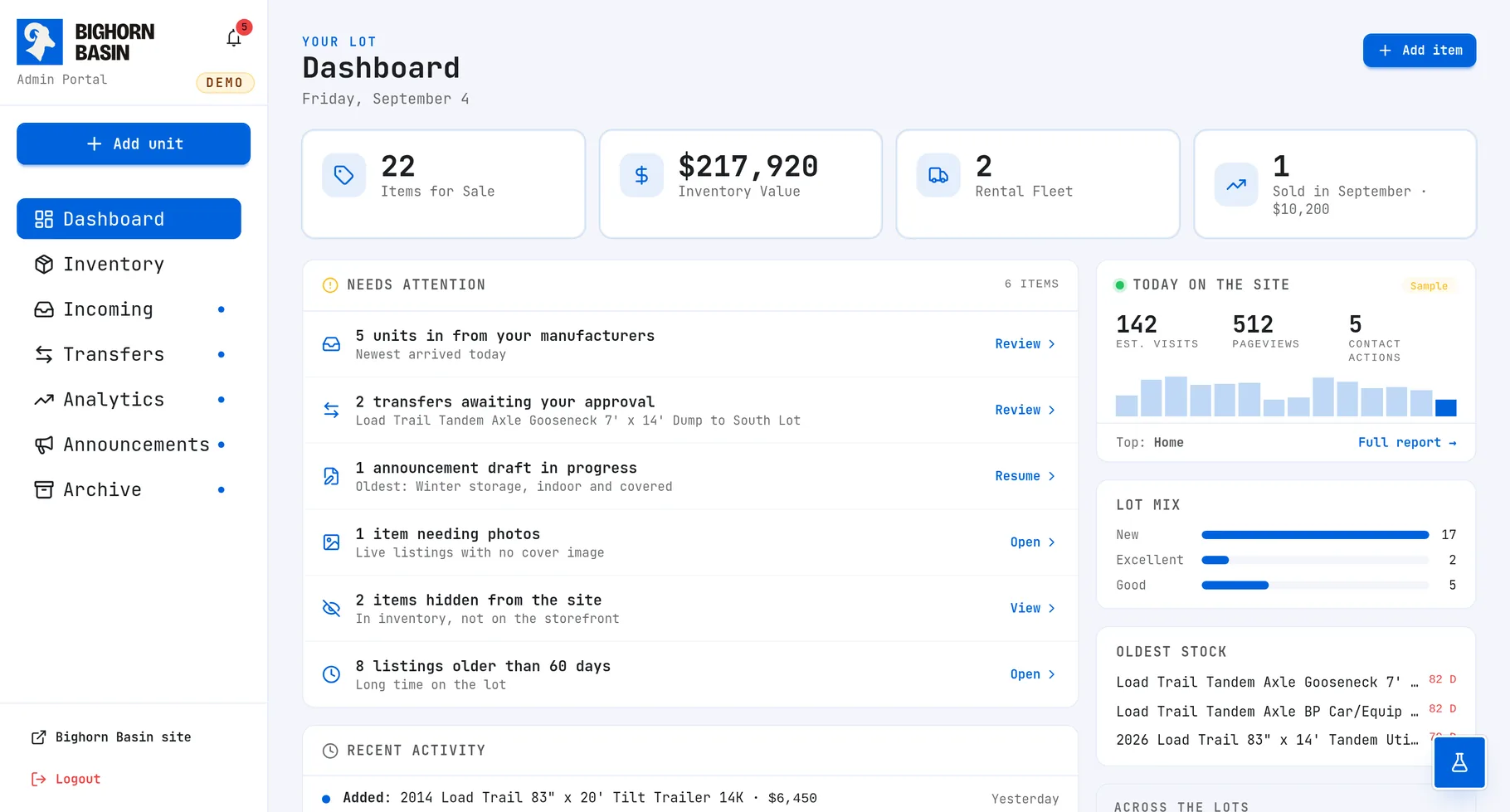
What dealers keep running into
The complaints that come up in nearly every first conversation, whatever the trade.
Listing a unit takes too long
One-size-fits-all dealer portals force staff through dozens of irrelevant fields. Adding a single unit becomes a slow, frustrating chore.
Multi-location inventory drift
When units move between lots or yards, staff often have to re-enter them on different systems or forget entirely, causing duplicate listings, outdated pricing, or phantom inventory.
The site looks like everyone else's
Cookie-cutter templates look identical across competing dealerships, making it difficult for buyers to distinguish your business.
Inventory browsing is rough on a phone
Most buyers browse inventory on smartphones. Clunky mobile navigation, tiny buttons, and slow filters cause shoppers to leave.
Support goes into a queue
Website fixes get buried behind support tickets, automated tiers, and long response windows during your busiest selling months.
You cannot tell what is working
Without clean traffic attribution and inquiry tracking, knowing which marketing channels actually generate customer contacts is guesswork.
Core dealership capabilities
The everyday listing and inventory management tools dealership staff rely on most.
Inventory your staff owns
Add, edit, price and retire units from an admin built around the way your lot already works. No developer in the loop for a price change.
A price drop on a Friday is somebody on your lot typing a number, not a ticket that gets picked up Monday. That is the whole difference, and it compounds over every unit you carry.
Guided listing completion
Adding a unit walks through structured steps, maintaining a clear checklist of what the listing still needs. Click any prompt to jump straight to that field before publishing.
Incomplete listings cost dealerships sales. Units frequently go live without pricing, specs, or photos, leaving interested buyers unable to verify details.
Photos from the phone in your pocket
Scan the code on the admin screen and your phone becomes the camera for that listing. Shots land on the unit as you take them, whatever format the phone saves them in, resized on the way in.
The alternative is a camera, an SD card, a desktop, a resize, an upload, and a listing that waits two days for photos. This is one person, one phone, standing at the unit.
AI drafts listings from photos and VINs
Photograph the unit on the lot and the assistant analyzes the photos alongside decoded VIN data, drafting the description, feature list, and spec sheet for staff review.
Unverified details are never guessed or invented. If a specification cannot be confirmed from photos or VIN records, it remains blank for staff confirmation so spec sheets stay accurate.
Schedule sales and site announcements
Create banners or popups with countdown timers and promo codes, scheduled to publish and expire on specific dates automatically.
Promotions stay coordinated across your website without manual intervention. Set your sale dates in advance, and banners activate and deactivate right on schedule.
Clear monthly performance reports
Estimated visits, contact actions and where the traffic came from, in one email each month. Included in Standard website packages and above, and existing Care Standard agreements.
Instead of forcing staff to log into complicated third-party analytics consoles, key performance metrics arrive directly in your inbox on the first of every month.
Structured so a machine can read it
Every listing ships schema.org data and a canonical URL, and the sitemap keeps itself current as units come and go. That same layer is what a search engine indexes and what an answer engine or an AI crawler parses, so there is nothing separate to bolt on for either.
None of it is a plugin you renew or a checklist somebody runs quarterly. It is emitted by the code that renders the page, so a unit added at four o'clock is structured correctly at four o'clock.
Everything else it does
The rest of it, in the order you would go looking for it.
In the admin
- Manufacturer feeds, where they existNew models from a manufacturer feed instead of typed in
- Rearrange photos on any deviceReorder photos with arrows or drag, and set which leads
- Staff accounts, not one shared passwordOne login per person, removable one at a time
- The admin tells you what happenedAn inbox for what changed, grouped instead of repeated
- Clean rich text formattingFormatted descriptions without writing HTML
- QuickBooks quotes, invoices and refundsComing soonQuotes, invoices and refunds against a unit, in the admin
On the public site
- Search and filters built for the tradeFilters on the fields your buyers actually narrow by
- Mobile optimizedSearch, filters and tap-to-call built for a phone
- Clean text and message sharingListings formatted for clean SMS, email, and social sharing
Behind it
- Multiple locations, one systemMore than one lot on one system, with transfers between them
- Daily off-site backups, encryptedEncrypted off-site backups daily, with restores tested
- Managed deploymentRuns on a managed edge network, with no server to patch
- Outage failoverTraffic fails over instead of landing on nothing
Reaching buyers
- Meta commerce catalog syncInventory synchronized to a Meta commerce catalog
How moving over goes
You keep selling the whole time. Nothing goes dark for a cutover.
Inventory review
What you carry, how many units, how many locations, what has to move.
Data migration
Units, photos and content come across. You keep selling while it happens.
Design and build
Your branding, not a template. Public site and admin built together.
Staff training
The people who will actually use the admin get walked through it.
Launch
Cutover with redirects in place so search results keep working.
Ongoing care
Updates, backups, monitoring and analytics on a monthly plan.
Want a feature that is not listed?
Most of this page started as a dealer asking for something that was not here yet. The platform is built in-house, so a request reaches the developer who would build it rather than a queue somewhere else.
ASK ABOUT SOMETHING9 QUESTIONS
Frequently asked questions
Common questions about platform capabilities, migration, and daily lot operations.
ASK SOMETHING ELSE01Can I try the dealer admin before committing to anything?
Yes, and no signup or sales call is required. The live demo provides full access to the actual dealer admin loaded with sample inventory. You can add a unit, adjust pricing, upload photos from your smartphone, and see updates publish instantly on the storefront.
02Does dealership staff need technical training to manage inventory?
No technical experience is needed, and hands-on walkthroughs are included before launch. The admin listing wizard guides staff step-by-step and clearly highlights missing fields like photos or pricing before publishing, preventing incomplete listings.
03Can staff take and upload photos directly from a phone on the lot?
Yes. Scanning a QR code on the admin screen links any smartphone directly to that listing. Photos upload, resize, and optimize automatically as they are taken on the yard, with no need for desktop computers, SD cards, or manual file compression.
04Can the platform connect to manufacturer inventory feeds?
Where a brand publishes an accessible inventory feed, yes. Inbound units enter an approval queue for staff review rather than publishing unverified to the storefront, allowing your team to verify pricing and options before going live.
05Can the platform manage multiple dealership locations and lot transfers?
Yes. Multiple lot locations run from a single admin, with inventory assigned to specific yards. Cross-lot transfers move units between locations as a single record rather than deleting and re-entering listings, eliminating duplicate units and pricing discrepancies.
06Can inventory sync with Facebook, Instagram, and classified syndicators?
Yes. Inventory synchronizes automatically to Meta commerce catalogs for Facebook and Instagram, and can export structured feeds for classified syndication tools like LotVantage. Paid ad campaigns and marketplace postings are managed through those external accounts, while the platform keeps the vehicle catalog accurate and up to date.
07How do customer inquiries and leads reach our sales team?
Inquiries route directly to your sales team by email the moment a customer requests a quote or sends a message, with the vehicle details and stock number included. Mobile listings also feature direct tap-to-call buttons for immediate phone contact.
08How is website uptime and hosting reliability handled?
Websites run on global edge infrastructure with automated outage failover. Hosting, backups and maintenance are included in every website package. Standard packages and above also include monitoring and reporting, with alerts so Bighorn Byte can respond to issues.
09How long does migrating from our current website provider take?
A typical migration takes two to four weeks, and your existing website stays live the entire time. The process encompasses inventory review, data and photo migration, custom build, staff walkthrough, and a clean DNS cutover with redirects preserved to protect existing search rankings.
Try it yourself.
The demo is this admin, running on a sample lot. Add a unit, change a price, manage the photos. Nothing in there is real.